SECURITY BREACH? CALL 888.234.5990 EXT 9999

KKNOWLEDGE BASE

Learn From Our IT Experts

Our knowledge base is a centralized database of content created specifically to help you navigate IT issues and business challenges. Our goal is to keep you up to date with industry trends, educate you on leading best practices, and share valuable resources that you can leverage within your organization.

DOCUMENTATION
Netrix Global

Windows 10 Taskbar Pinning

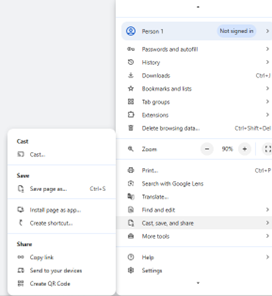
DOCUMENTATION This is to convert the User Portal to a Chrome Application and PIN the application to the task bar. Step 1: Open Chrome and log into the User Portal. Step 2: Click on the settings menu in the upper right – the three vertical dots. Then click on Cast,
Read More »
DOCUMENTATION
Netrix Global

Yealink T48

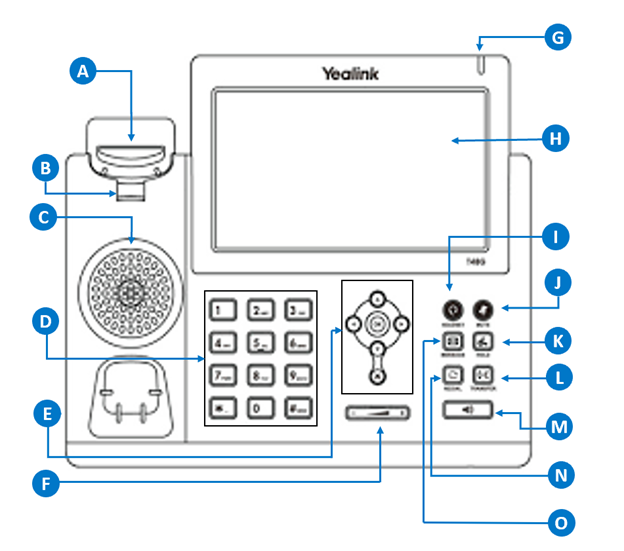
DOCUMENTATION A. Hookswitch Picking up the handset from the handset cradle, the hookswitch bounces and the phone connects to the line, laying the handset down on the handset cradle, the phone disconnects from the line. B. Hookswitch Tab Secures the handset in the handset cradle when the IP phone is

Read More »
DOCUMENTATION
Netrix Global

Access Your Voicemail

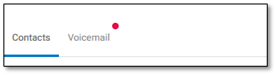
DOCUMENTATION Accessing Voicemail from the User Portal Navigate to the Calls Icon on the left. Click on the Voicemail tab next to Contacts Your voicemails will be listed in order of the date you received them, with the most recent voicemails being closest to the top. From this list of

Read More »
DOCUMENTATION
Netrix Global

Outlook Contact Directory

DOCUMENTATION Easily access all Outlook contacts via your nVX user portal. In this article, we will walk you through creating a new contact in Outlook and accessing them through the nVX user portal. Create an Outlook Contact Open your Outlook application. Navigate to the Contacts tab and click the ‘New

Read More »
DOCUMENTATION
Netrix Global

Personal Contact Directory

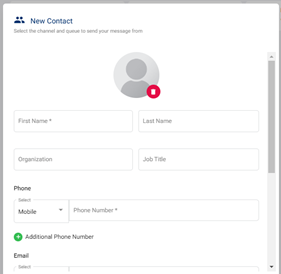
DOCUMENTATION Personal Contact Directory allows users to create/save a personal contact directly within the nVX User Portal and Mobile Apps. Create a Contact Click on the  icon available here to create a contact A modal window will show up as seen below, fill in the required information here: Click Save

Read More »
DOCUMENTATION
Netrix Global

Setting Up SMS for Microsoft Teams

DOCUMENTATION Overview SMS for Microsoft Teams allows Teams users to send and receive SMS and MMS using their Microsoft Teams application. Note: Not all licensing includes MMS capability. Check with your administrator before sending multimedia messages. Setting up SMS for Microsoft Teams Note: Before following these steps, please confirm that

Read More »
DOCUMENTATION
Netrix Global

UP SMS Messages

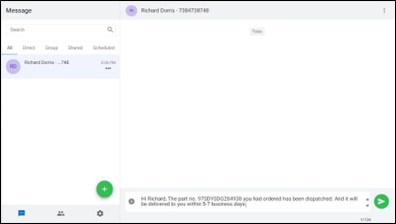
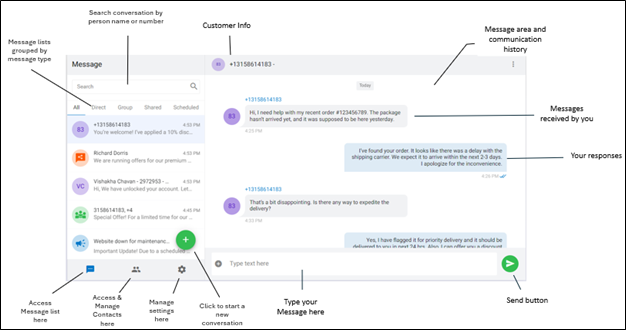
DOCUMENTATION Users can send and receive SMS messages via the User Portal by using the option  available in left menu. Interface: Start an SMS Message Step 1 Select the Messaging icon  from the navigation panels located on the left side of your User Portal menu. Step 2 Click compose icon

Read More »
DOCUMENTATION
Netrix Global

Audio Device Settings

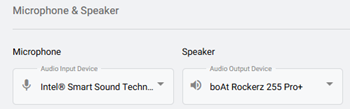
DOCUMENTATION To view Audio Device Settings, first select the Settings tab on the left navigation.   Select the Audio Device  option. Selecting Your Device Microphone: In the dropdown, choose the microphone you’d like to use from the list of detected microphones. Speaker: In the dropdown, choose the speaker you’d like to use

Read More »

Our Latest Case Studies

See firsthand how Netrix Global drives real business results for companies like yours.
Strengthening Security Compliance and Operations for a Leading Utility Provider in LATAM

Strengthening Security Compliance and Operations for a Leading Utility Provider in LATAM

Read More
Intelligent Automation and Secure Legal Claims Processing: Transforming Occupational Risk Insurance in Argentina

Intelligent Automation and Secure Legal Claims Processing: Transforming Occupational Risk Insurance in Argentina

Read More
Board Room Transformation for a Leading Illinois Client

Board Room Transformation for a Leading Illinois Client

Read More
1.5M Calls, Zero Issues – Scaling the nVX Platform for Auto Parts Retailer

1.5M Calls, Zero Issues – Scaling the nVX Platform for Auto Parts Retailer

Read More
Collaboration That Delivers: How Netrix Transforms Cybersecurity for Pennsylvania Lumbermens Mutual

Collaboration That Delivers: How Netrix Transforms Cybersecurity for Pennsylvania Lumbermens Mutual

Read More
Powering Medical Sales with Generative AI and Natural Language Analytics

Powering Medical Sales with Generative AI and Natural Language Analytics

Read More

Let's get problem-solving.