SECURITY BREACH? CALL 888.234.5990 EXT 9999

KKNOWLEDGE BASE

Learn From Our
IT Experts

Access expert insights and practical guidance in one place. Our knowledge base helps you stay ahead of industry trends, adopt proven best practices, and leverage resources that strengthen your organization’s performance.

WEBINARS
Netrix Global

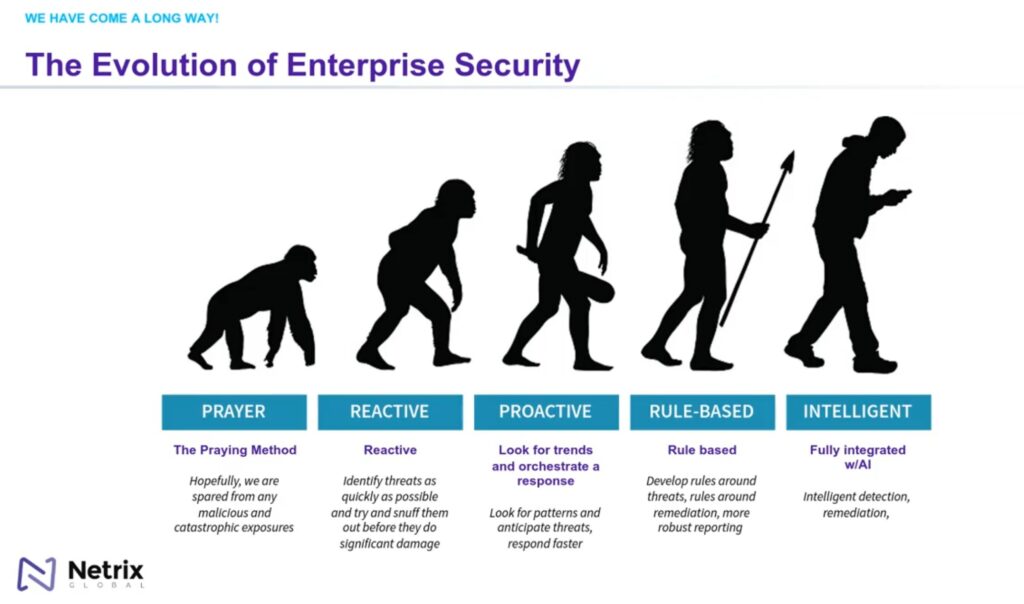
Ensure Advanced Threat Protection for Your Organization

WEBINAR Meet The Presenters Rich Lilly Field CTO, Security Rich Lilly has been working in the IT Consulting space for 20+ years in various positions and roles, including Architect, Director of Pre-Sales, Cloud Evangelist, and  Director of Security for Netrix, LLC. Rich brings extensive hands-on and practical knowledge to not
Read More »
DOCUMENTATION
Netrix Global

UP SMS Messages

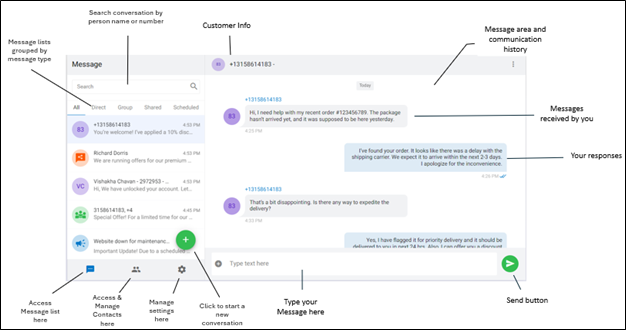
DOCUMENTATION Users can send and receive SMS messages via the User Portal by using the option  available in left menu. Interface: Start an SMS Message Step 1 Select the Messaging icon  from the navigation panels located on the left side of your User Portal menu. Step 2 Click compose icon

Read More »
DOCUMENTATION
Netrix Global

Audio Device Settings

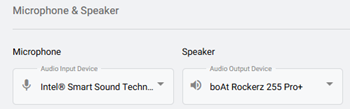
DOCUMENTATION To view Audio Device Settings, first select the Settings tab on the left navigation.   Select the Audio Device  option. Selecting Your Device Microphone: In the dropdown, choose the microphone you’d like to use from the list of detected microphones. Speaker: In the dropdown, choose the speaker you’d like to use

Read More »
DOCUMENTATION
Netrix Global

Setting a Ringtone

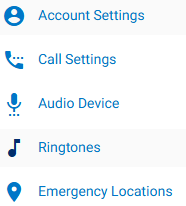
DOCUMENTATION To view Ringtone Settings, first select the Settings tab on the left navigation. Select, Ringtones. This is where users can manage their ringtone and ring volume.   Ringtone: In the dropdown, select the preferred ringtone.  You can press the play icon,  to hear the tone before selecting it. Ring Volume:

Read More »

Our Latest Case Studies

See firsthand how Netrix Global drives real business results for companies like yours.

Let's get problem-solving.