DOCUMENTATION

Emergency Services
DOCUMENTATION Emergency services are supported both through the User Portal and when dialing 911 using an IP phone SHARE THIS

DOCUMENTATION Emergency services are supported both through the User Portal and when dialing 911 using an IP phone SHARE THIS
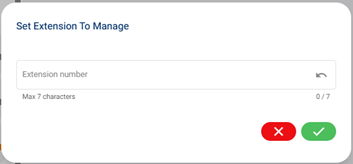
DOCUMENTATION An Endpoint is a device that is used as a communication channel for a user to make calls, receive calls, and use telephony features. Selecting an Endpoint Step 1: Select the Additional Settings icon in the bottom left of portal to open a pop-up. Step 2: The middle option is the
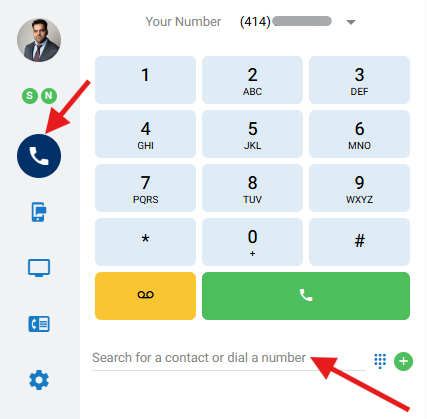
DOCUMENTATION This article will cover how to place a call via the contact directory or dial pad in the nVX User Portal. Step 1 Navigate to the Calls icon on the left Step 2 Place a call by using one of the following options Enter a phone number (numerical or
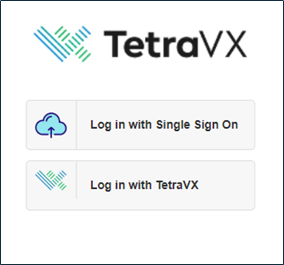
DOCUMENTATION System Requirements The nVX User Portal should be accessed via Google Chrome™ (TetraVX supports the most recent stable version; note that Google Chrome applies updates automatically). User Login Step 1: Open a Google Chrome browser window. Step 2: Enter your organization’s unique URL for the domain you are accessing.
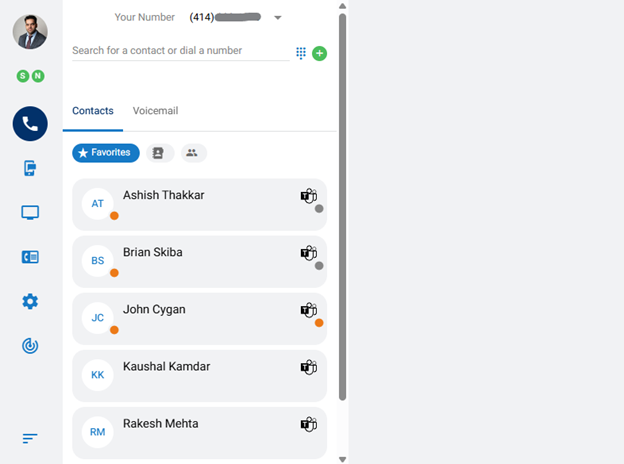
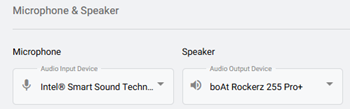
DOCUMENTATION Upon logging into the nVX User Portal, users will default to the Home tab. The nVX User Portal is a web-based tool that allows users to: Login Place Calls SMS Message Messaging Meetings View Call Detail Records Access Voicemail Update User Settings Account Settings Call Routing Audio Device Settings Ringtones
WEBINAR Meet The Presenters Phil Schwan Cloud Endpoint Solutions Architect Phil is an End User Computing expert with over twenty-five years of Windows administration and engineering experience. MEET WITH THIS EXPERT VIEW FULL PROFILE About this talk Watch this on-demand webinar featuring Phil Schwan, Netrix Global’s cloud endpoint expert, to
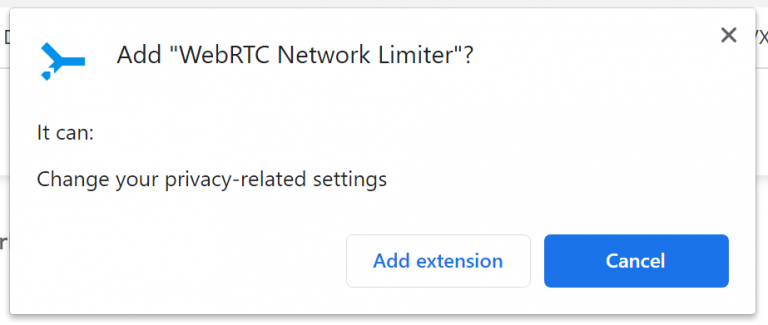
DOCUMENTATION Extension for Google Chrome This article will walk you through how to download and configure the WebRTC Network limiter Chrome Plugin. The WebRTC network limiter extension is only needed if a delay issue occurs when answering inbound calls. To download and install: Step 1 Visit the below URL using
WEBINAR This webinar explores how AI and next-generation networking are transforming the digital landscape. Industry experts discuss the evolving network requirements for enterprise AI adoption, the advanced capabilities of WiFi 7, and how Cisco Meraki simplifies secure, high-performance network management. Watch now to gain insights into building a future-proof network

WEBINAR About this talk This webinar delves into the crucial intersection of IT and operational technology (OT) in manufacturing, highlighting the evolving cyber threats that put operational continuity at risk. Industry experts discuss the latest manufacturing trends, the critical role of cybersecurity in protecting operations, and practical steps to establish